
Deploy in the following order:
Fabric Server OVA
API Server OVA
LPSM OVA
Note
You must deploy the Fabric Server OVA and install the Fabric applications before deploying the API Server OVA.
To deploy the Director OVAs:
Go to the LogPoint Help Center and download the required OVA file.
Log in to your vSphere client.
Click the Host and Cluster icon.
Right-click the appropriate resource pool, and select Deploy OVF Template.
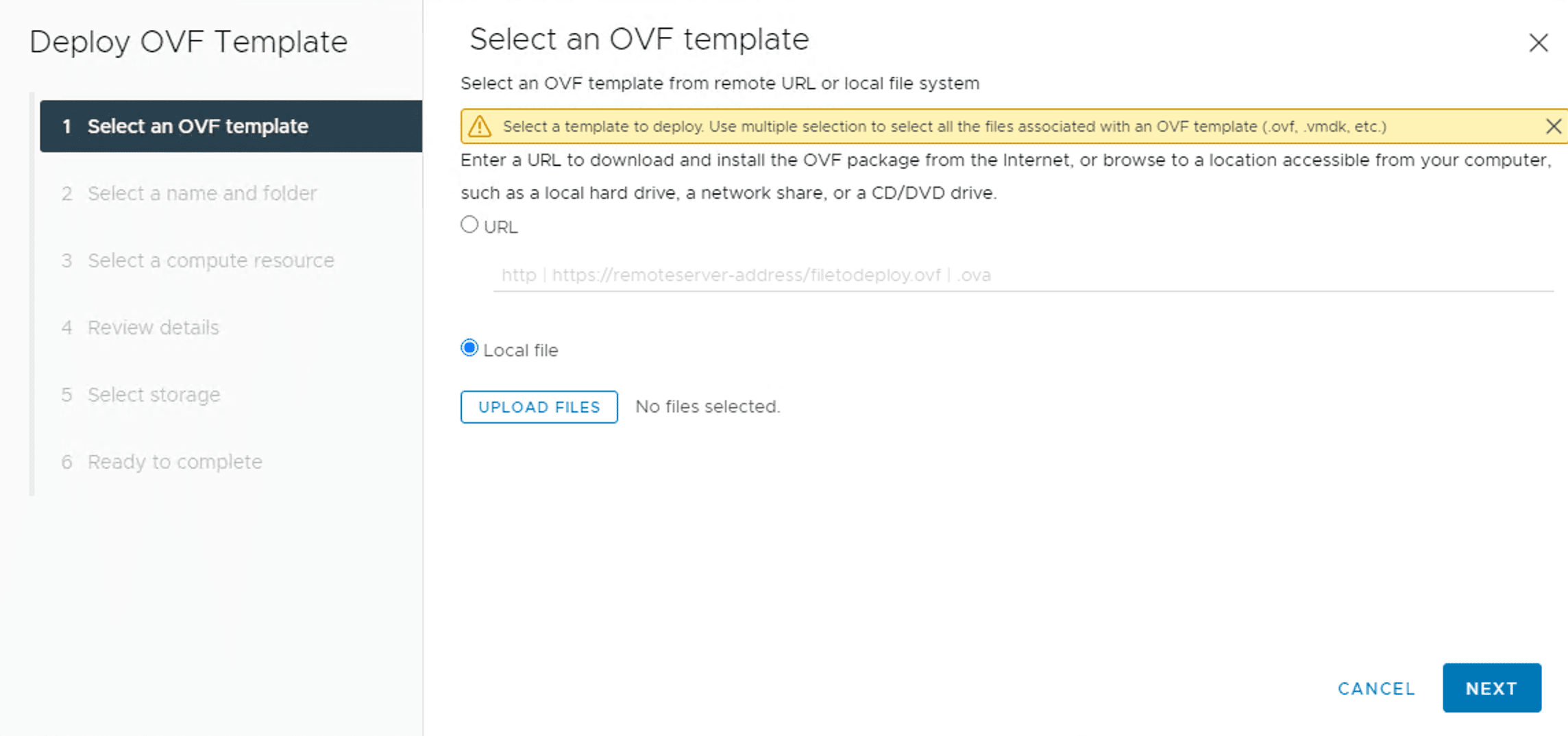
Deploying an OVF Template
Select Local file and click UPLOAD FILES.
Browse the downloaded OVA file and click Open.
Click NEXT.
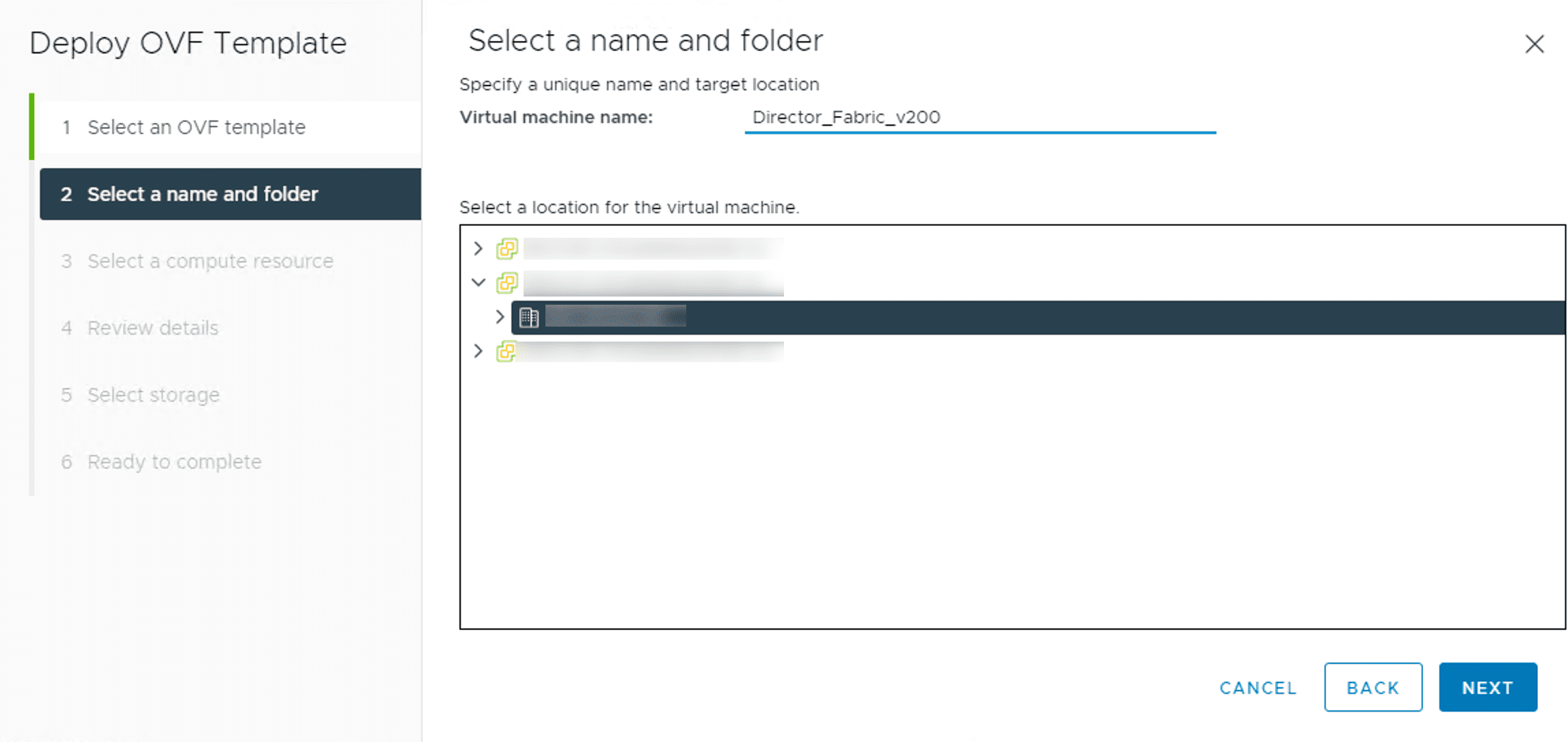
Selecting a Name and a Folder
Enter a Virtual machine name and select a location for the virtual machine.
Click NEXT.
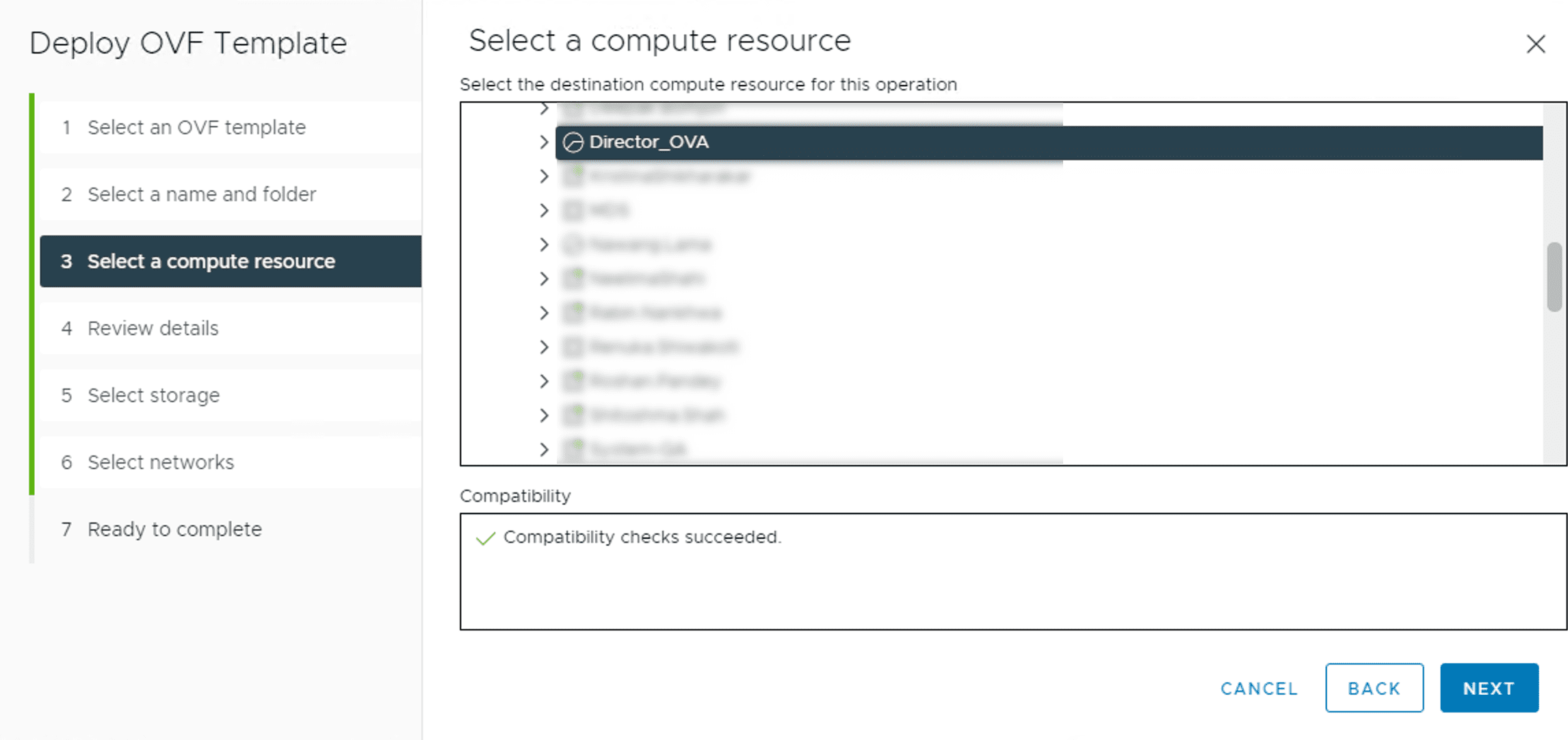
Selecting the Compute Resource
Select a compute resource for the virtual machine and click NEXT.
Review the configuration details and click NEXT.
Note
To learn the minimum requirements for a LogPoint OVA, see the System Requirements for LogPoint section.
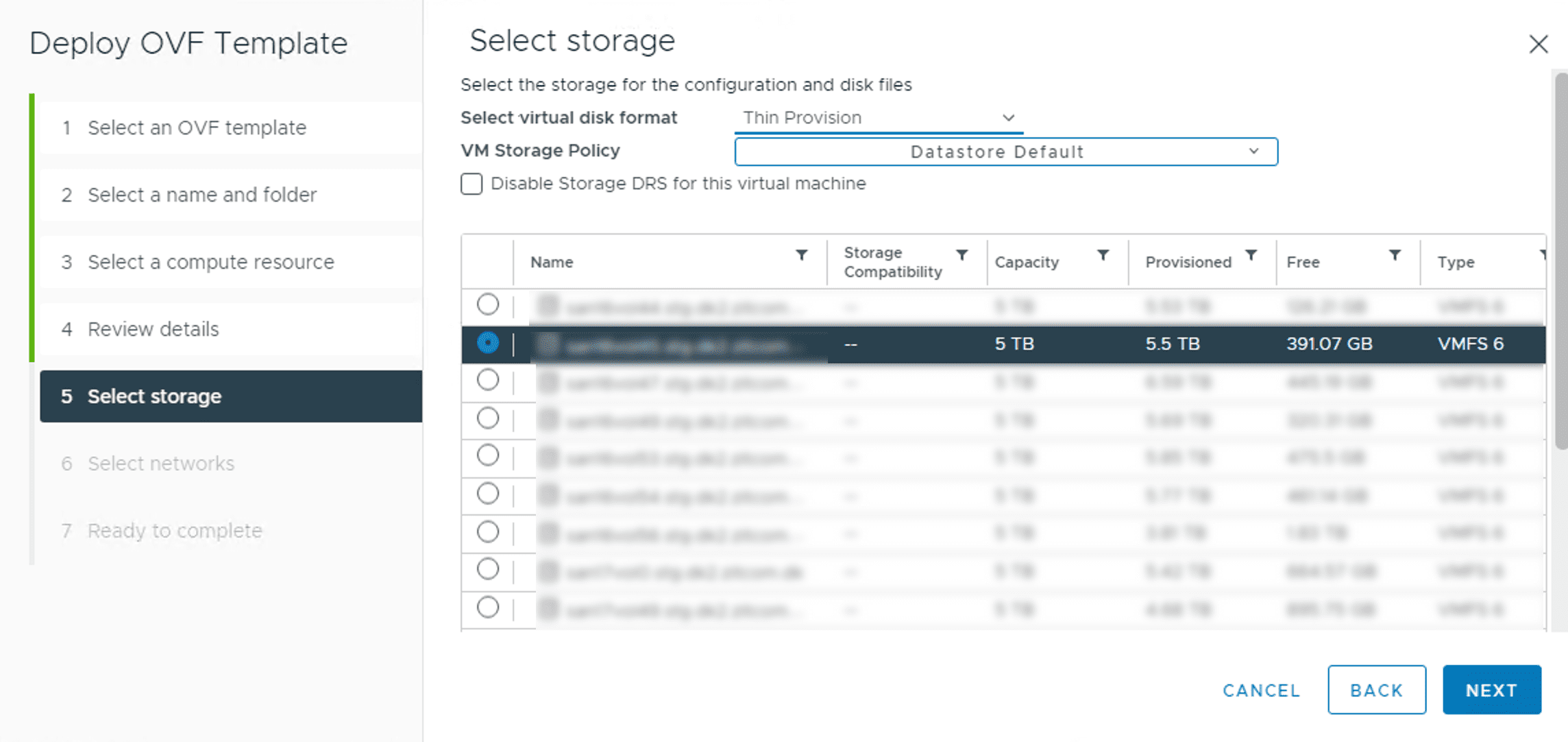
Selecting the Storage
Select virtual disk format from the three available formats:
Select the Eager Zeroed Thick Provision format to allocate the storage and clear all the data inside the disk array immediately.
Select the Lazy Zeroed Thick Provision format
Select the Thin Provision format to allocate the storage and clear the data of the disk array only on demand.
Select a VM Storage Policy.
Select a datastore from the list to deploy the virtual machine and click NEXT.
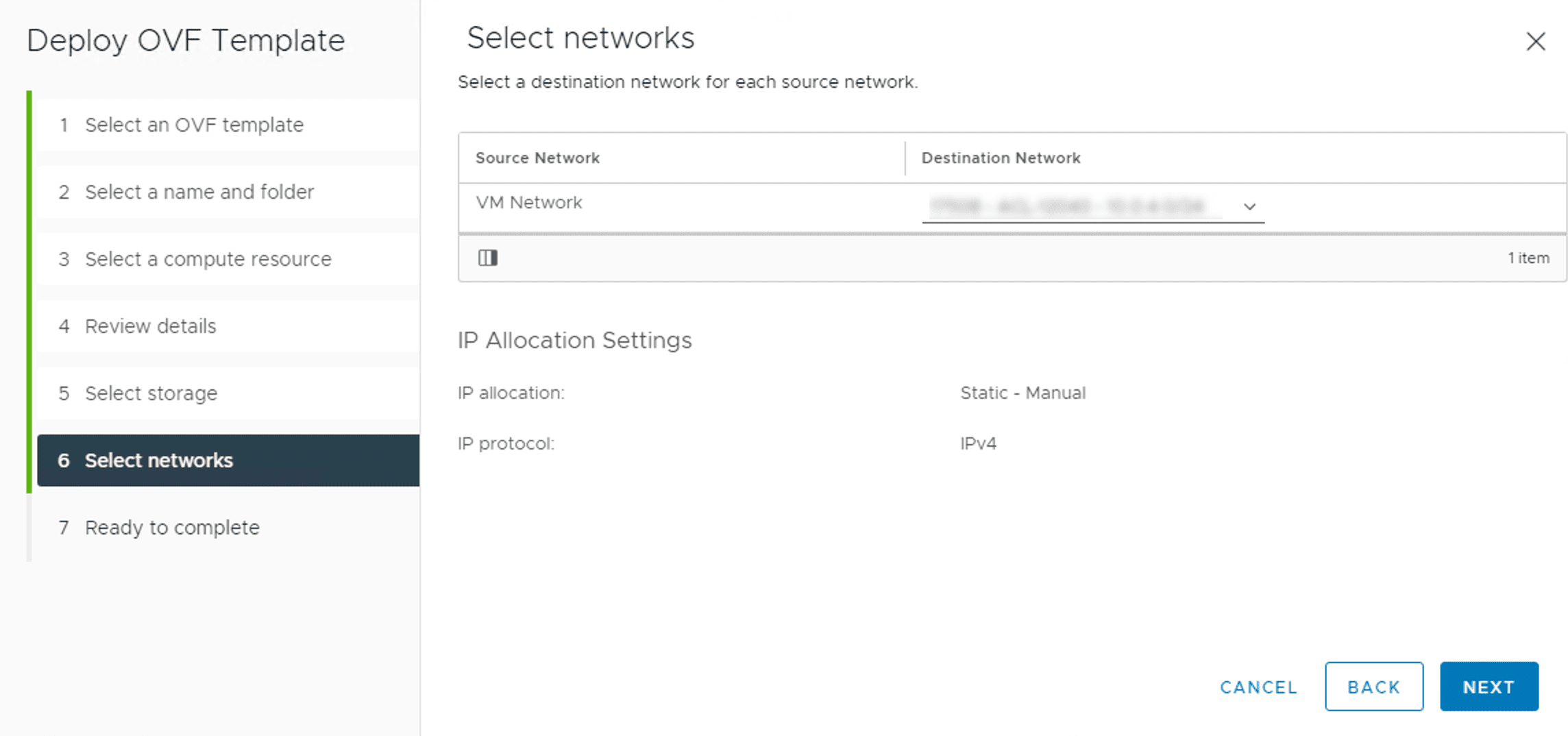
Selecting the Network
Select Destination Network and click NEXT.
Review your configuration and click FINISH.
Click BACK to make changes or CANCEL the operation.
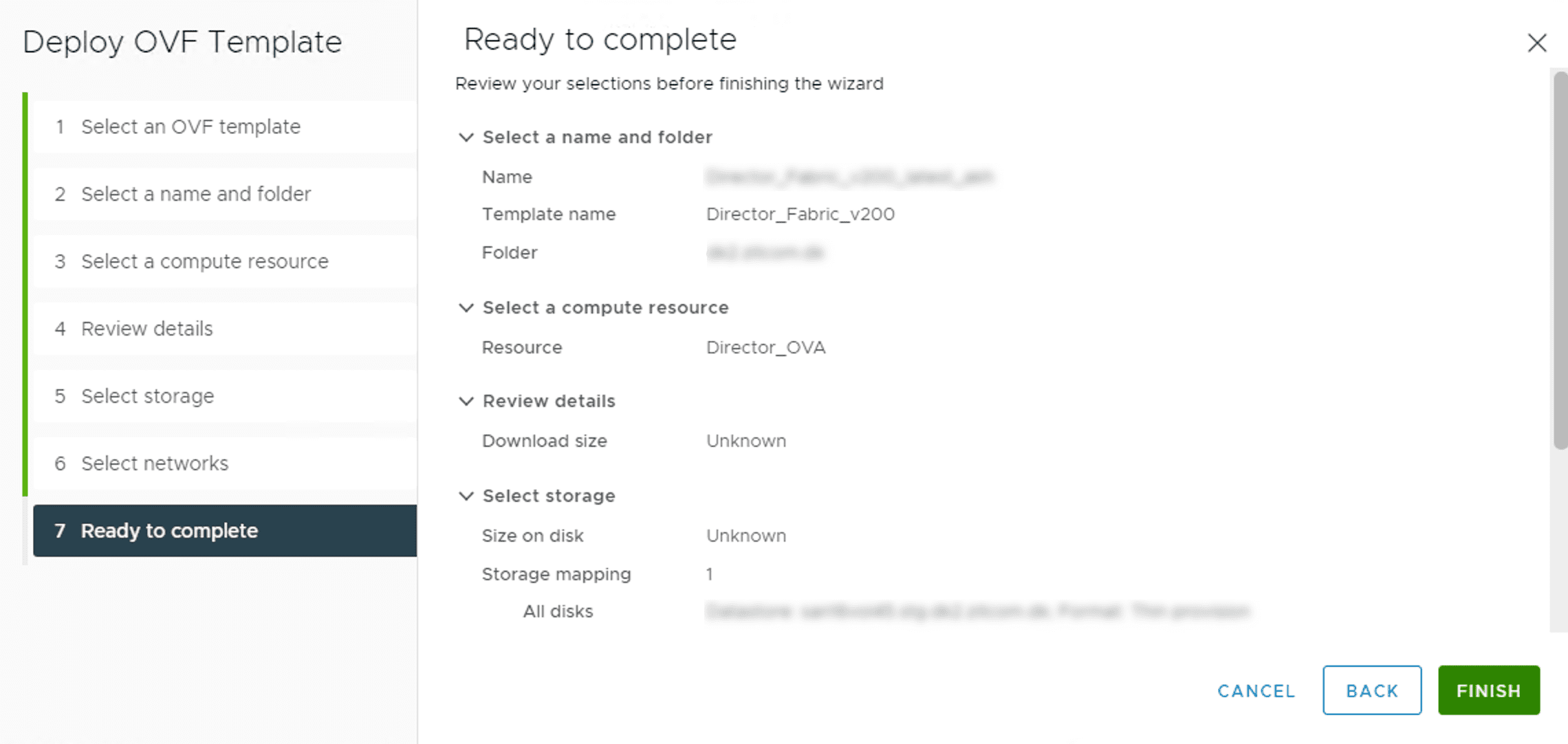
Reviewing the Selections
Note
If you have any issues, contact the LogPoint support team. They will need your Director support connection details to fix the issue.